Apocalypse Party on Steam
About the Project
Apocalypse Party is a 3D top-down action Roguelike game. In this game, you will embark on a new mission to traverse through the Middle Ages and gradually master abilities, and arm yourself to become the strongest survivor through numerous choices.
Genre: Action, Roguelike
Engine: Unreal Engine 5
Platform: PC (Steam)
Team Size: 10
Screenshots
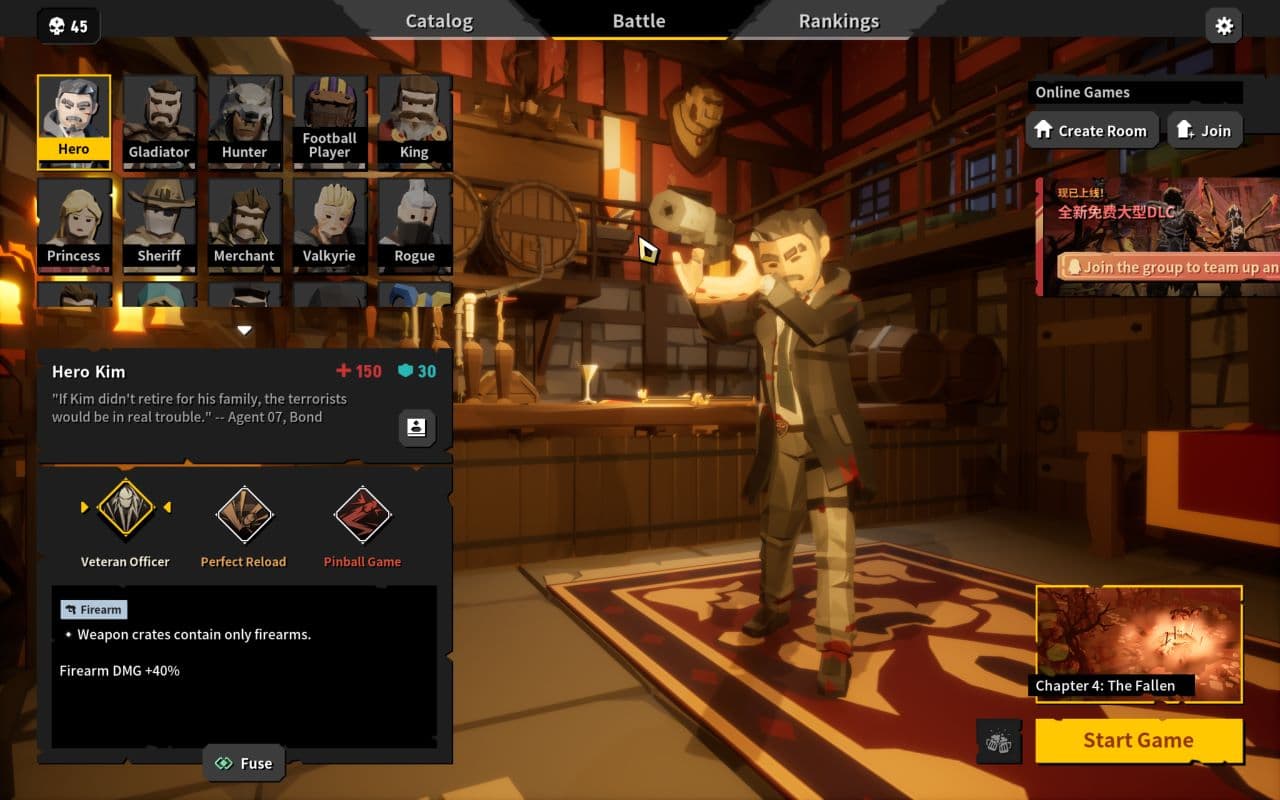
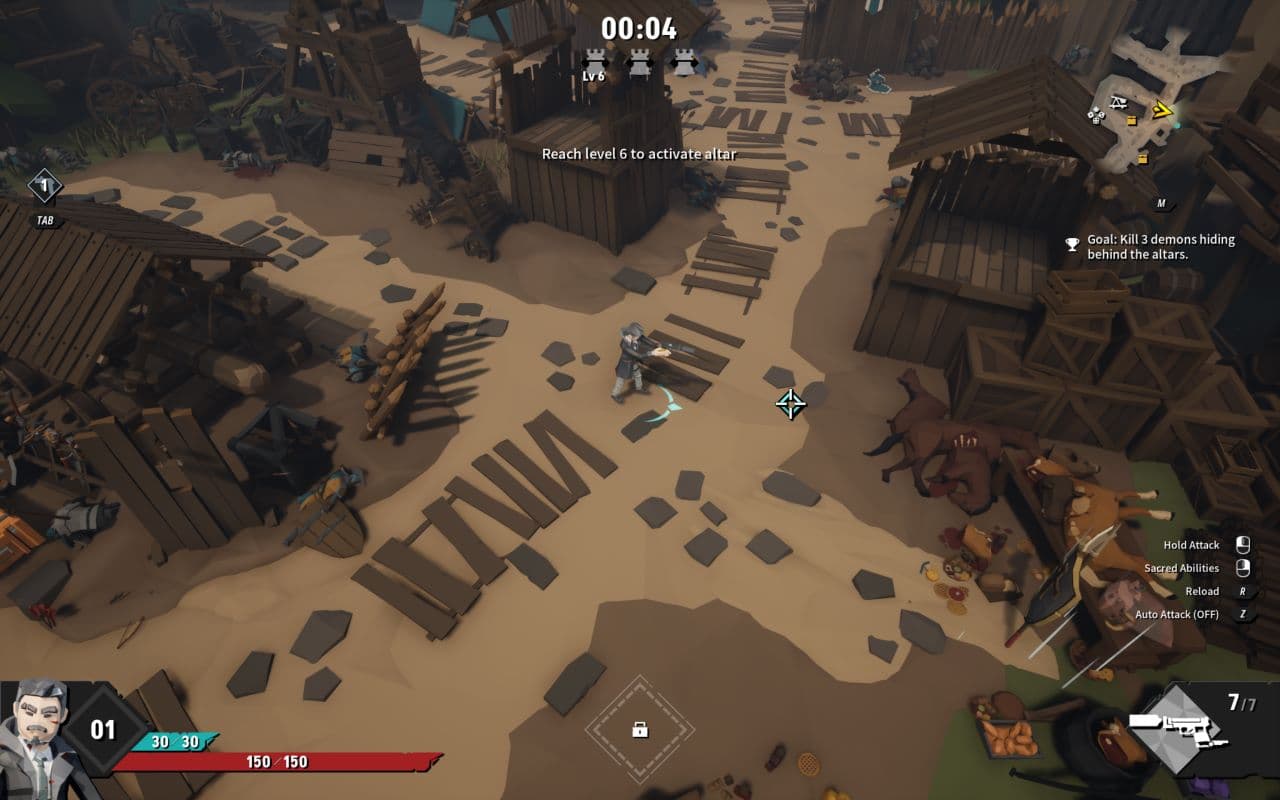
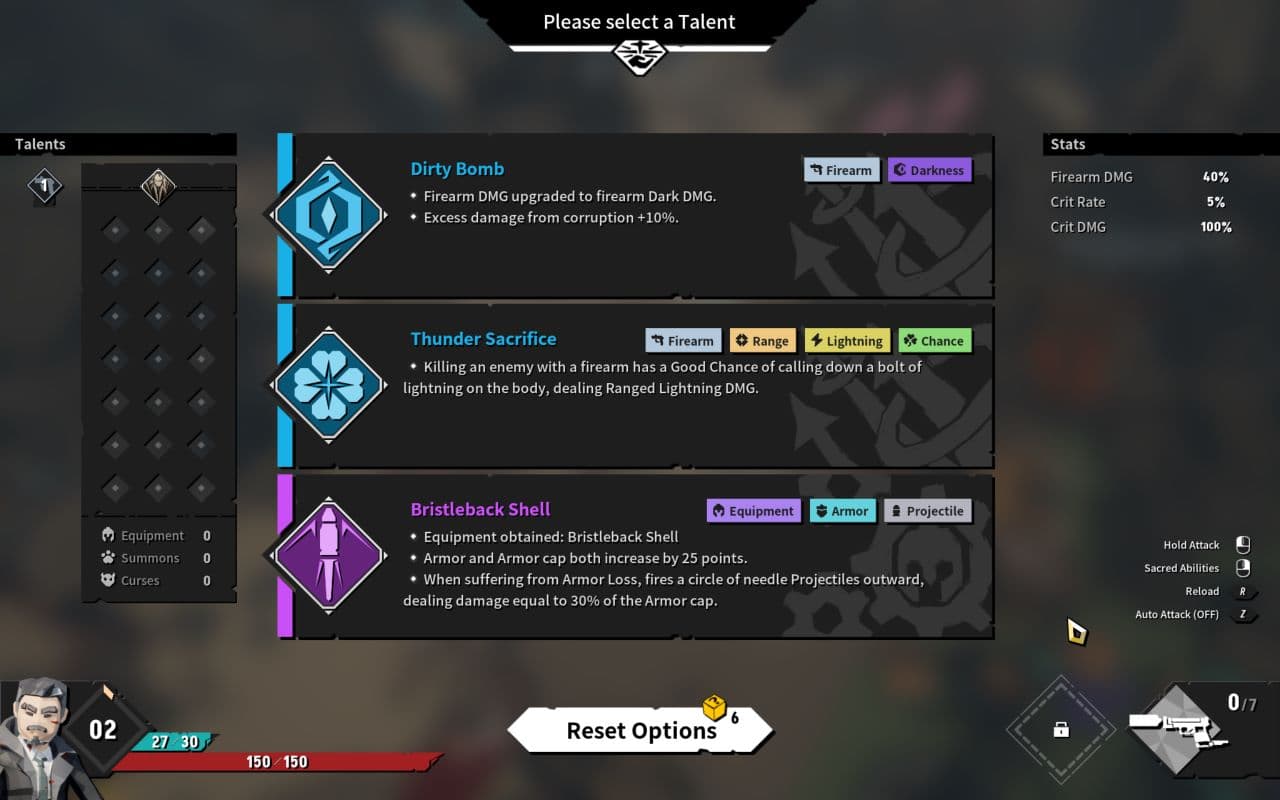
Role(s) and Responsibilities
UE5 Technical Designer
As a Technical Designer on this project, I was responsible for:
- Designing core gameplay systems and contents for the Chinese New Year Update and The Dark Moon DLC.
- Implementing and balancing character abilities using the Able Ability System and Blueprints.
- Developing combat mechanics and progression system using C++ and Blueprints.
- Collaborating closely with external translation team and leading the localization for English and Korean versions.
Game Design Highlights
System Design Example: Precision Strike Combo System
In the development of Project Zero 2: Apocalypse Party, I was tasked with designing and implementing the Precision Strike Combo System, a key addition to the combat system aimed at enhancing player engagement through timing-based attacks. This section outlines the process I followed from conceptualization to final implementation and optimization.
1. Conceptualization
The Precision Strike Combo System was introduced to add depth to the game's combat mechanics, allowing players to execute complex attack chains based on timing and directional inputs.
Design Goals:
- Provide players with a high-risk, but powerful combat mechanic to deal with large group of enemies.
- Enhance the overall player experience by introducing a skill-based combat system that integrates seamlessly with existing gameplay mechanics.
- Ensure the system is intuitive to use, even in fast-paced combat scenarios, while offering depth for advanced players.
2. System Architecture and Design
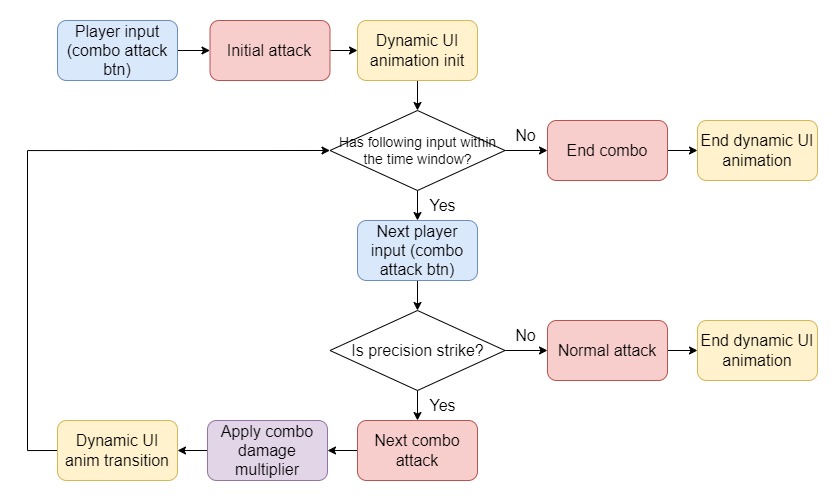
The Precision Strike Combo System was built using the Able Ability System Plugin, a robust ability editor that facilitates various Tasks such as ability transition trigger, Play Animation, Apply Damage, and invoking Blueprint functions. The system is designed to bind specific combos to particular weapons or character talents, and is executed independently from normal attacks when the character possesses the required items. Each attack within the combo can use the normal attack's damage calculator, allowing buffs like damage amplification to stack, while applying an additional combo damage multiplier.
Core Mechanics:
- Versatile Combo Transitions: The system supports diverse attack transitions based on player inputs. For instance, different directional inputs combined with precise attack timing will trigger different combo sequences, providing the player with a variety of attack options.
- Stamina System: Each combo attack consumes stamina, limiting how frequently the player can perform combos. Stamina regenerates only when the player is not actively attacking, adding a strategic element to when and how combos are used.
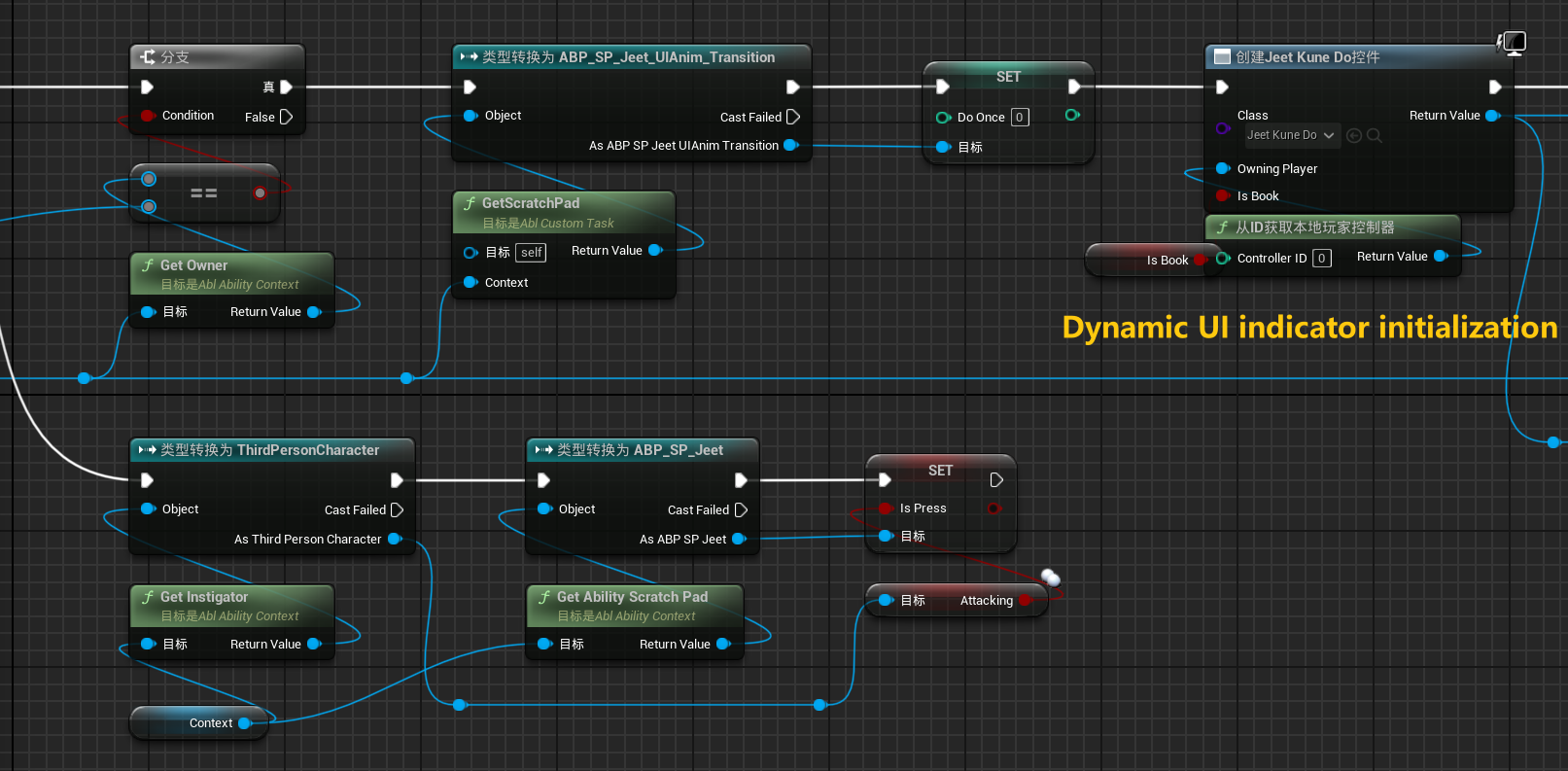
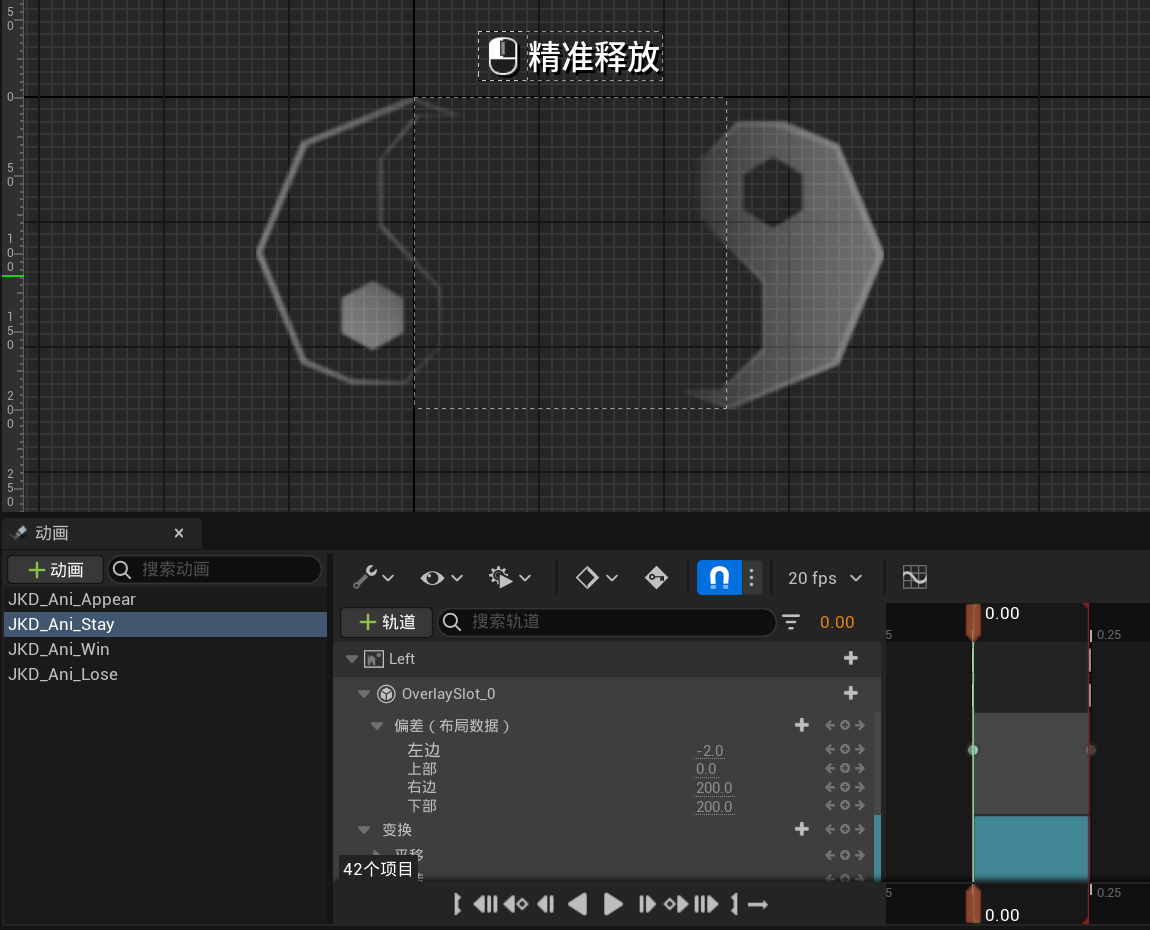
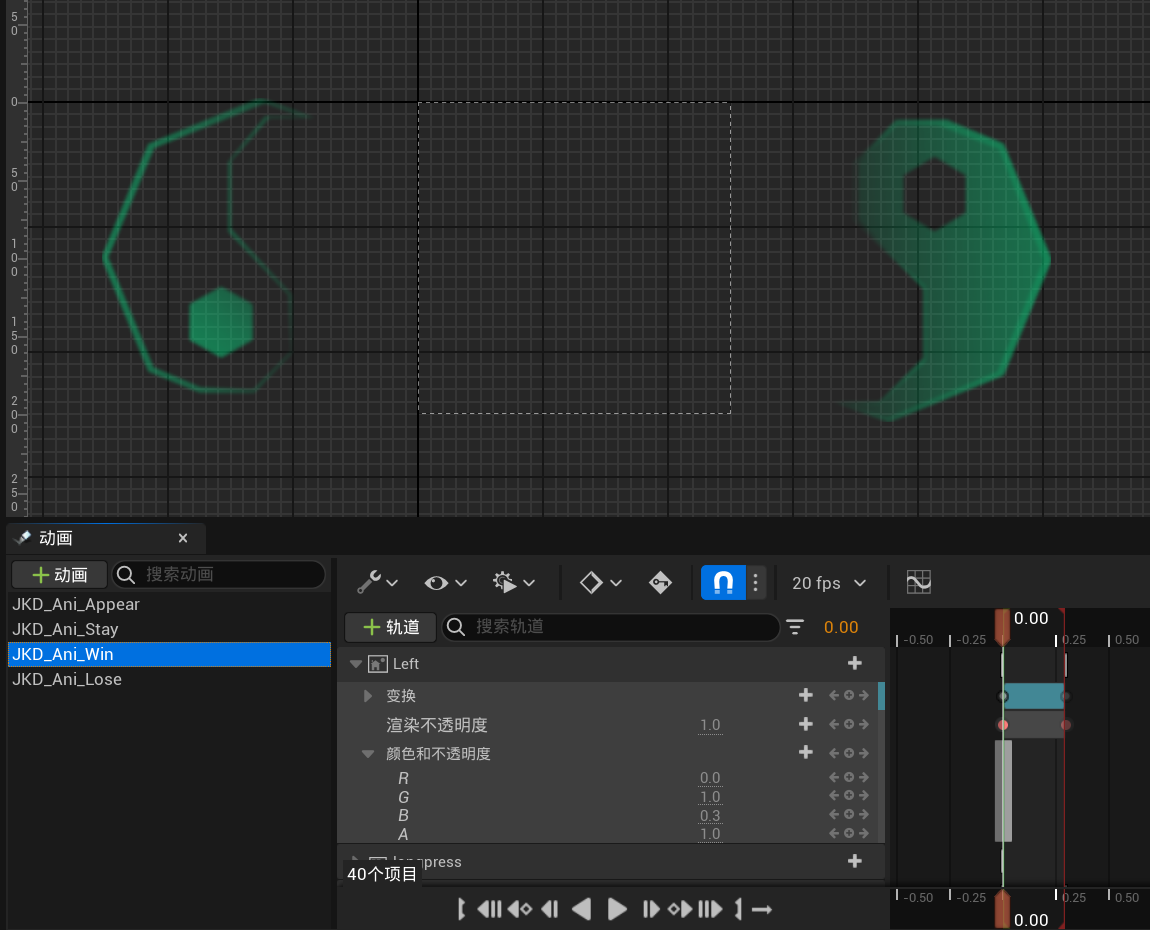
- Dynamic UI System: For player guidance, a dynamic UI indicator located at the bottom center of the screen signals the timing to execute a perfect combo strike. It will also display a corresponding animation if the player fails to do so, offering immediate feedback on the player's performance.
- Damage Scaling: The damage output for each combo is calculated based on the player's input timing. Successful combo chains result in increased damage, with each consecutive hit amplifying the total damage output through a combo damage multiplier.
3. Implementation and Optimization
The combo system is initialized in Blueprints after the main game systems are fully loaded. Each combo sequence is configured in the Able Ability Editor. The initial combo attack is then bound to the Blueprint of a weapon or character talent.
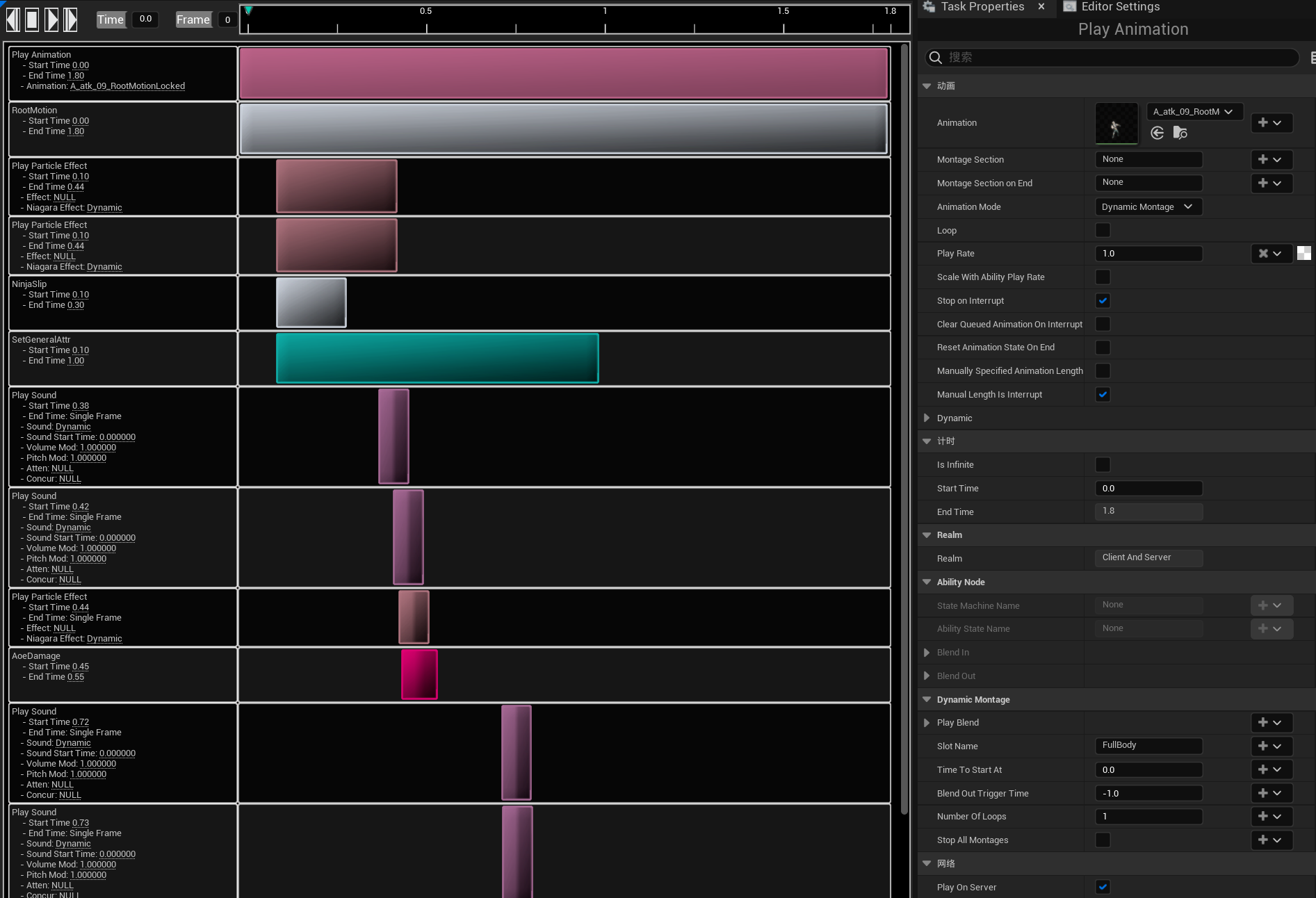
When the combo is triggered, the pre-configured Tasks are executed sequentially, including Play Animations, Play Sound Effects, Play Visual Effects, Execute Ability Transitions, and Invoke Blueprint events to play UI animations.
Implementation Example: Weapon - Jeetkunedo
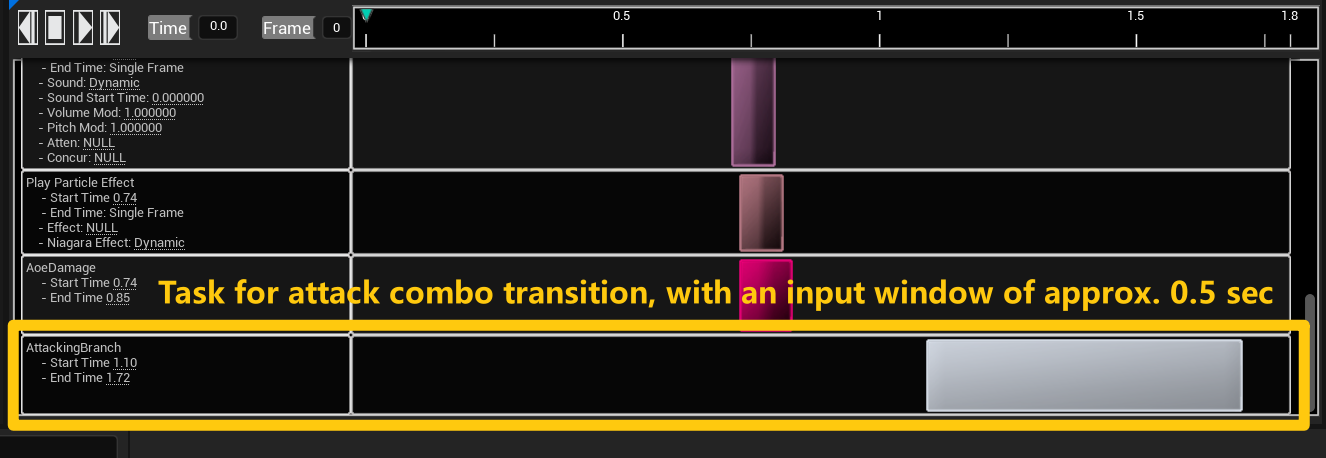
- Developed Blueprint functions to detect player input and execute corresponding combo transitions during the Task tick. This Blueprint is a child of the Able Custom Task, allowing it to be called in the Able Ability Editor as an AttackingBranch Task. This setup enables directional combo attack transitions based on player inputs. The duration of the AttackingBranch Task defines the input window, which can be fine-tuned according to the designer's needs.
- Configured and fine-tuned each combo attack in the Able Ability Editor, including animation, sound effects, particle effects, and player movements.
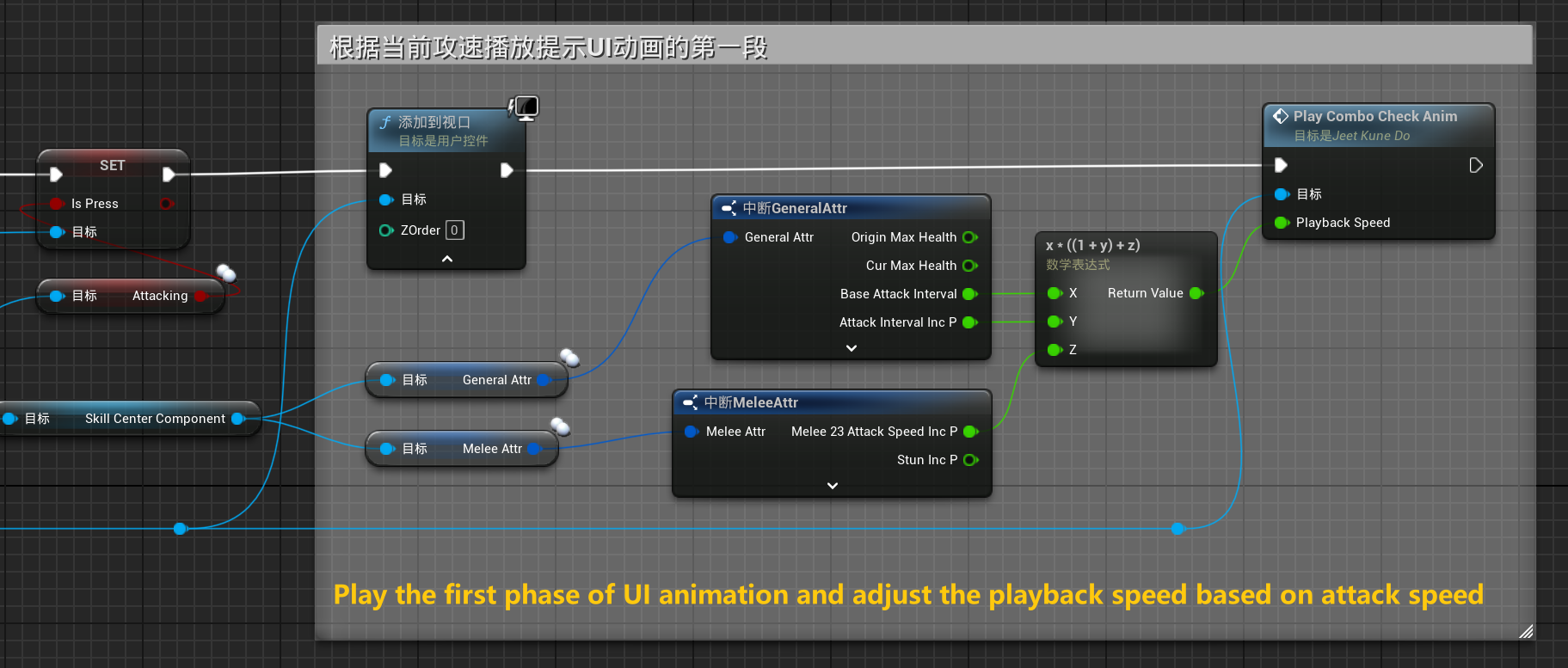
- Implemented functions to invoke dynamic UI animations within Blueprints and ensured their seamless integration with other systems. For example, when the player gains a buff that increases attack speed, the playback speed of the UI animations adjusts accordingly to remain synchronized with the attack animations.
4. Testing and Iteration
After the initial implementation, I conducted multiple rounds of internal testing to fine-tune the system and ensure it met both gameplay and performance requirements.
Key Iterations:
- Timing Window Adjustments: Based on player feedback, the timing window for executing perfect combos was slightly expanded to make the system more accessible without compromising the challenge.
- Damage Balancing: Adjusted damage scaling to ensure the system was rewarding but not overpowered, particularly against elite enemies.
- Hitbox Optimization: Refined hitbox detection to improve the accuracy of combo attacks and ensure fair interactions with environmental obstacles.
5. Final Outcome
The Precision Strike Combo System was successfully integrated into the final release of Project Zero 2: Apocalypse Party. It provided players with a more engaging combat experience, introducing a layer of skill-based gameplay that was both challenging and rewarding.